Kitsap Sun
- 2.9
- Rating
- 10.00K
- Installs
- Free
- Price

 Analysis by App-foxy
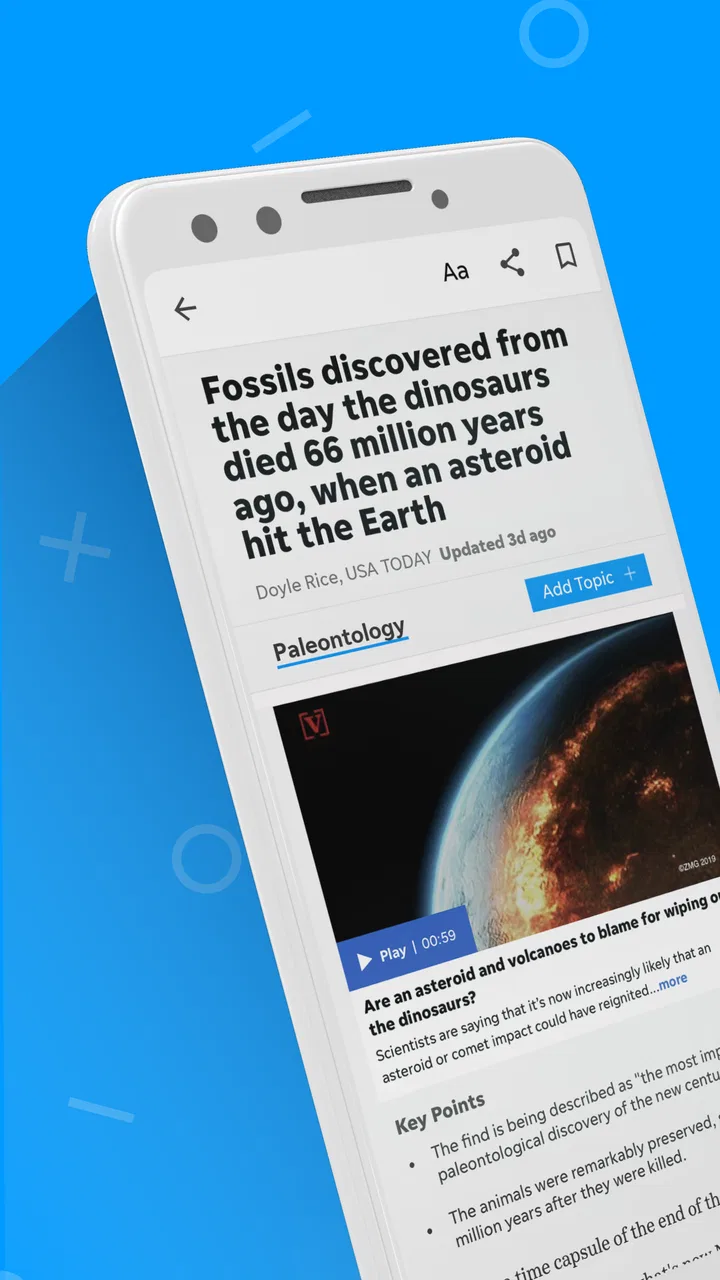
I approached Kitsap Sun as a local news reader first, not as a general-purpose national news replacement. Published by USA TODAY Co., this free News & Magazines app is aimed at people who want Kitsap-focused reporting close at hand, with broader coverage, photography, and video adding context around the local stories. That focus matters: a reader looking for community news may get more value here than from a large national app that treats local events as occasional updates.
My overall impression is mixed but clear. The app has a sensible purpose and a familiar news-reading role, yet its average rating of 2.9 from 176 ratings suggests that the experience has not been equally convincing for everyone. I would consider it for a Kitsap-area resident, someone with family or work connections there, or a reader who wants a dedicated local source. I would be more hesitant to recommend it as the only news app on a phone, especially for someone who expects a polished, broad, and highly personalized news hub.
What the app is really useful for
The strongest reason to install Kitsap Sun is convenience. Local news is often most useful when it answers a very immediate question: what is happening in the community today, what changed nearby, and which local issues deserve attention? A dedicated app puts that kind of coverage in a more direct place than a general search engine or a national news feed.
You May Also Like

 Pandora - Music & Podcasts
Pandora’s Music Is Easy to Start, but Harder to Recover
Pandora’s strength is its low-effort path from a seed to a station. Its weak spot is how much confidence it asks you to place in connection, setup, and quiet recovery.

 AccuWeather: Weather Radar
AccuWeather Review: A Quick, Clear Forecast for Everyday Decisions
For everyday plans, the best forecast is the one you can understand quickly. AccuWeather makes rain timing, radar, and local conditions easy to act on, with a few trade-offs.

 Hill Climb Racing
Why Hill Climb Racing Still Turns Crashes Into One More Run
A tiny car, a bumpy hill and one more upgrade: Hill Climb Racing keeps resurfacing because its simple chaos makes every near-miss feel personal.

 AliExpress - Shopping App
AliExpress Makes Global Shopping Feel Personal, but Shoppers Bear the Risk
AliExpress turns a global marketplace into a pocket-sized discovery engine. Its reach is useful, its shopping loop compelling, and its trade-offs easy to miss.

 Lords Mobile: Kingdom Wars
Lords Mobile Is a Kingdom-Building Routine, Not a Quick Match
A case-by-case verdict on the building, battles, device demands, and social commitments that make Lords Mobile rewarding for some players and exhausting for others.

 PDF Scanner app - TapScanner
TapScanner Makes Paperwork Easier to Capture, Check, and Share
TapScanner makes scanning with a phone feel less like a rescue operation and more like a dependable step in getting work done. Its capture tools are useful, though not flawless.
More From Our News Desk
View All News


I can imagine opening it during a normal morning routine, checking the main local stories before work, then returning later when a developing event affects travel, schools, public services, or community life. That workflow is different from casually scrolling through national headlines. The value is not simply having more articles; it is having a more relevant starting point for a particular area.
The app also combines written reporting with visual material and video. That combination is useful when a photograph communicates the atmosphere of an event faster than several paragraphs, or when a video gives a clearer sense of a public meeting, local scene, or developing story. I would still read the article rather than rely only on the visual element, but the mixture makes the experience less flat than a text-only publication.
There is a practical trade-off here. A local publication can feel more meaningful to a nearby reader and less useful to someone who has no connection to Kitsap. If your main interests are international affairs, technology, finance, or national politics, a larger news service will probably serve you better. This app makes the most sense when local relevance is the reason you are opening it.
Trust starts with knowing what you are installing
The app has been available since December 6, 2010, and its current version is 8.10.3. It is marked for Everyone 10+ and requires Android 8.0 or later. Those details make it easier to judge whether it fits an older device or a family phone before spending time setting it up. It is also listed as free, although in-app purchases range from $14.99 to $69.99 per item, so I would not treat “free” as a complete description of the possible cost.
That pricing distinction is important for a news application. A person may install it expecting to browse without paying, then encounter a purchase prompt or subscription-related choice while trying to access more content. I recommend reading each payment screen carefully instead of assuming that every article or feature follows the same access rule. The safest habit is to decide in advance what you are willing to pay and avoid confirming anything merely to dismiss an interruption.
The app has over 10K installs, which gives it a real audience without making it one of the dominant news platforms. Its 76 reviews provide more written feedback than the rating count alone might suggest, but I would still interpret the overall 2.9 average cautiously. A rating is a signal, not a diagnosis: it can point to dissatisfaction with performance, access, design, or expectations, but it does not tell me that every reader will have the same experience.
For me, trust in a news app is not only about whether the publication is familiar. It also depends on whether the app makes important choices understandable. The developer name is visible as USA TODAY Co., and the publication identity is straightforward. Beyond that, I would judge the experience through the choices shown on the device itself: what the app asks for, what it explains, and whether it lets me change my mind without pressure.
Controls I would check before settling in
When I install a news app, I do not immediately grant every optional permission or accept every prompt. I first look at the Android permission screen and consider whether each request is necessary for the way I plan to use the app. If I only want to read local articles, I prefer to keep the setup as limited as possible and enable an optional function only when I understand why it needs access.
This is especially sensible with a publication app because reading headlines does not automatically require every device capability. I would review notification controls in Android settings as well as any notification choices inside the app. Local alerts can be valuable during a breaking event, but too many interruptions quickly turn a useful reader into a distraction. My preferred arrangement would be a small number of genuinely important alerts, with routine headline notifications turned off.
Account controls deserve the same attention. If the app asks me to sign in, I would check what the account is needed for before creating one. An account may be worthwhile for access or continuity, but I would not register simply because a prompt appears during the first launch. I would also keep track of the email address used, the password method, and any subscription screen connected to the account, because those details become important if I later want to stop a purchase or remove the app.
My practical rule is simple: use the app with the smallest set of permissions, alerts, and account commitments that still supports your reading routine. That is not a criticism of Kitsap Sun specifically; it is a sensible way to approach any news service that combines free installation with optional paid choices.
I would also revisit those settings after an update. The version installed today may present controls differently from an earlier release, and Android can expose permission changes when an app is updated. If a notification pattern suddenly changes, I would check both the app’s internal settings and the operating system’s notification page rather than assuming the behavior is permanent.
Where data-sensitive moments can appear
News reading feels passive, but several moments deserve active attention. The first is onboarding. A welcome screen may encourage alerts, account creation, or personalization before I have decided how deeply I want to use the service. I prefer to skip nonessential choices initially, spend a few minutes evaluating the reading experience, and return to setup only when a specific benefit is clear.
The second moment is a purchase. Because the app is free to install but includes paid items, I would slow down whenever a subscription or payment option appears. I would check the amount, billing interval, renewal language, and cancellation route displayed by the purchase screen and the operating system’s store account. I would never rely on uninstalling the app as a cancellation method; removing an app does not necessarily end a store-managed subscription.
The third moment is sharing. News apps make it easy to pass an article to another person, but I would check the destination before tapping the share button if the story contains personal or sensitive details. Sharing a public article is different from sending a screenshot that includes account information, notification previews, or private notes. A quick review of the share sheet prevents an avoidable mistake.
Video also changes how I use the app. I would be more careful with mobile data when watching rich visual content away from Wi-Fi, particularly if I am on a limited plan. If playback starts automatically, I would look for an in-app setting or Android control that reduces interruptions and data use. I would not assume that an article containing a video has the same data impact as a text-only story.
These are small habits, but they make the experience more predictable. They also help separate the value of the journalism from the surrounding mechanics of notifications, payments, sharing, and media playback.
How I would build a reliable daily routine
I would not use Kitsap Sun as an endless feed. I would open it at planned times, scan the local headlines, and select the stories that affect my area or require more context. That approach reduces the temptation to treat every alert as urgent and makes the app work more like a local briefing than a stream of interruptions.
For a commuter, one useful routine would be to check local coverage before leaving home, then revisit it after work for updates on community events or public decisions. For a parent, the app could be a convenient way to keep an eye on local developments, but I would still verify any time-sensitive information through the relevant official source before making a decision. For someone who moved away from the area, the visual reporting and local focus may help maintain a connection that a national news app cannot provide.
One non-obvious advantage of a dedicated local app is attention. A national reader often forces local stories to compete with a huge volume of unrelated headlines. Kitsap Sun narrows the field, which can help me notice community issues I might otherwise miss. The trade-off is that I lose the breadth and cross-checking convenience of a larger aggregator, so I would pair it with another source rather than expect it to cover every subject.
Another useful habit is to read beyond the headline when a story could affect real-world choices. Headlines are designed for quick scanning, while local developments may depend on location, timing, or details in the article body. I would avoid forwarding a headline alone when the information concerns an event, service, or public change that others might act on.
I also recommend checking the app on the actual device where it will be used. A phone with Android 8.0 or later meets the stated minimum, but age, storage, screen size, and network conditions still influence comfort. A newer phone may handle image-heavy pages more smoothly, while an older device may make visual content feel less convenient. That is one reason I would test a normal reading session before deciding whether to keep it installed.
Who should choose it, and who should look elsewhere
I would recommend Kitsap Sun to readers who have a direct connection to Kitsap and want local reporting in a dedicated mobile format. It is also a reasonable choice for people who prefer a publication-centered experience over a general social feed, especially when photographs and video help them understand what is happening nearby.
I would be cautious about recommending it to someone who wants one app for every kind of news. A broad aggregator is likely better for international coverage, breaking national stories, and comparing several publications in one place. A public-service or official channel may be better when the goal is confirmed information about an emergency, transit change, school closure, or government notice. Kitsap Sun can provide useful reporting and context, but I would not use any single news app as the sole authority for a high-stakes decision.
It may also be a poor fit for readers who dislike subscription prompts or who want a completely cost-free experience with no purchase decisions. The free installation lowers the barrier to trying it, but the in-app price range means that I would pay attention to access conditions. If the app’s main stories are not useful to you without a purchase, the better option may be a different local source or a general reader that matches your budget.
Finally, people who want extensive personalization should compare the experience with a larger news platform before committing. A dedicated local publication has a sharper editorial identity, which is its strength, but that also means fewer reasons to open it when local news is not your priority. I would keep it only if the local coverage earns a regular place in my day.
My cautious verdict after using it
Kitsap Sun is worth trying when local relevance matters more than having the widest possible news menu. Its identity is clear, its format combines articles with photography and video, and its connection to USA TODAY Co. gives the app a recognizable publishing context. The free download makes testing the reading experience straightforward, provided I remain alert to paid choices and do not confuse installation with unlimited access.
My recommendation is conditional rather than enthusiastic. The modest 2.9 average tells me to keep expectations realistic, and I would pay close attention to how the current version behaves on my phone, how often alerts appear, and whether the access model suits my reading habits. I would also review permissions, account settings, and store-managed subscriptions instead of treating those controls as background details.
For a Kitsap resident, that caution does not cancel the app’s usefulness. A focused local reader can save time and make nearby reporting easier to find, particularly when a photograph, video, or developing story adds something that a headline list cannot. For everyone else, the app is likely too narrow to replace a broader news service.
My final advice is to install it for a specific reason, configure notifications conservatively, read several stories rather than judging it from the first screen, and decide whether the local coverage genuinely improves your routine. If it does, Kitsap Sun can be a practical companion for community news. If it does not, a broader alternative will probably give you more value without forcing a local focus you rarely use.
FAQs for Kitsap Sun
01What is Kitsap Sun?
Kitsap Sun is a local news app focused on the Kitsap Peninsula in Washington State. It provides access to regional reporting, breaking news, community updates, sports, politics, business, entertainment, and opinion content. The app is designed for readers who want to follow developments in Bremerton, Poulsbo, Port Orchard, Bainbridge Island, and surrounding communities from a mobile device.
02Is the Kitsap Sun app free to download and use?
The Kitsap Sun app can generally be downloaded at no cost, allowing users to install it and explore available content. However, access to all articles and premium features may require a Kitsap Sun subscription or account, depending on the current publishing policy. Before downloading, users should review the app-store listing and subscription terms for pricing, trial periods, and renewal conditions.
03What type of news and features are available in the app?
The app typically brings together local and regional news, breaking-news alerts, sports coverage, weather information, community stories, investigations, and lifestyle content. Depending on the version available on your device, it may also offer personalized notifications, saved articles, digital newspaper access, photo galleries, and other tools intended to make following Kitsap Peninsula news more convenient.
04Does Kitsap Sun require a subscription to read articles?
Some Kitsap Sun content may be available to all readers, while other stories can be limited by a digital paywall. A subscription may be needed to read premium articles, access the full digital edition, or continue reading after a certain number of free stories. The exact limits and benefits can change, so prospective users should check the current subscription information before signing up.
05Does the Kitsap Sun app send notifications and collect personal data?
Kitsap Sun may request permission to send notifications about breaking news, important local developments, sports results, and other updates. You can usually enable or disable these alerts through the app or your phone’s settings. Like many news services, the app may collect usage, device, account, or advertising-related information, so reviewing its privacy policy is recommended before creating an account.
Pros
- Clear local coverage focused on Kitsap County and nearby communities.
- Breaking-news alerts help readers stay informed about important local events.
- Includes access to local sports
- opinion pieces
- and community reporting.
- Article layouts are generally easy to read on a phone or tablet.
- Useful for following local issues that receive little national coverage.
Cons
- Many full articles may require a paid subscription or account.
- Some content can feel less relevant to readers outside the Kitsap area.
- Frequent notifications may become distracting unless carefully customized.
- The app’s value depends heavily on the publication’s local news output.
- Certain features may vary depending on device
- app version
- or subscription plan.

Kitsap Sun
Gallery